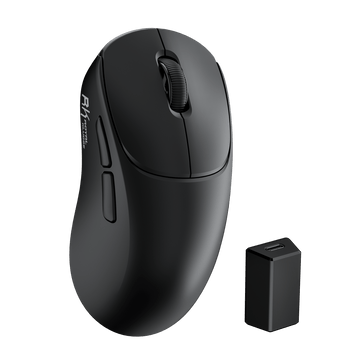
MG5 Wireless Gaming Mouse
$59.99


For RK Blog Readers Only
Whether you're upgrading your gaming setup, building a productive workstation, or simply prefer having every key within reach, a full-size mechanical keyboard remains one of the most versatile choices available. This guide explains what makes a great full-size keyboard, who should buy one, and what features actually matter before you spend your money.

If you're short on time, here's what you need to know before buying a full-size mechanical keyboard.
A full-size mechanical keyboard, also known as a 100% keyboard, includes every key found on a traditional desktop keyboard. This layout typically features 104 keys in ANSI regions (such as the US) or 105–108 keys in ISO layouts used across Europe.

Unlike compact layouts that remove certain sections to save desk space, a full-size keyboard keeps everything exactly where most users expect it to be.
A standard full-size layout includes:
Because every key has its own dedicated position, there's no need to memorize additional function layers or key combinations for everyday tasks. For many users, that familiarity translates into faster workflows, fewer mistakes, and a more comfortable typing experience.
Over the past few years, compact layouts like 60%, 65%, and 75% keyboards have become increasingly popular, especially among minimalist desk setup enthusiasts. However, full-size keyboards continue to be the preferred choice for millions of users because they prioritize functionality over compactness.
A dedicated numpad remains incredibly useful for:
If your keyboard is something you use for both work and entertainment, removing keys simply isn't always an upgrade. Sometimes, having every key exactly where you expect it to be is the most productive option.
One of the biggest questions buyers ask isn't which keyboard to buy—it's which layout fits their workflow. Here's a quick comparison. (For a complete breakdown of every option on the market, check out our guide to Mechanical Keyboard Sizes & Layouts Simplified).

| Layout | Keys | Includes Numpad | Desk Space | Best For |
|---|---|---|---|---|
| 100% (Full Size) | 104–108 | ✅ Yes | Largest | Productivity, gaming, office work, creators |
| TKL (80%) | 87 | ❌ No | Medium | FPS gamers, students, general use |
| 75% | 80–84 | ❌ No | Compact | Minimal desk setups, portability, everyday typing |
A full-size keyboard gives you every key without compromise. This is the layout most people have used for years, making the transition effortless whether you're replacing an old office keyboard or upgrading to your first full-size mechanical keyboard.

Best for:
Pros
Cons
A TKL keyboard removes only the number pad while keeping the function row and navigation keys. Many FPS players like this layout because it creates more room for large mouse movements.

Best for:
Pros
Cons
A 75% keyboard keeps nearly all important keys but rearranges them into a tighter layout. It's one of today's most popular mechanical keyboard layouts because it balances functionality with portability. If you want to dive deeper into this specific compact layout, read our Ultimate Guide to 75% Layout Keyboards.

Best for:
Pros
Cons
The best layout depends entirely on how you use your computer. Check the comparison below to find your perfect match.
| Choose a Full Size Keyboard if you: | Choose a TKL Keyboard if you: | Choose a 75% Keyboard if you: |
|---|---|---|
|
|
|
Bottom line: If you're looking for the most versatile option that performs equally well for productivity, gaming, and everyday use, a full-size mechanical keyboard remains the safest long-term investment.
A common misconception is that full-size keyboards are only for office workers. In reality, they're ideal for anyone who benefits from having every key immediately available. Let's look at who gets the most value from a full-size layout.
If your work involves spreadsheets, reports, emails, or multitasking across multiple applications, a full-size keyboard can significantly improve efficiency. The dedicated number pad speeds up calculations, while the navigation cluster makes editing documents much easier than relying on layered shortcuts. Whether you're working from home or in the office, a full-size keyboard offers the familiarity and functionality needed for all-day productivity.
Many developers spend hours switching between code editors, terminals, browsers, and documentation. Having dedicated navigation keys makes moving through long files more efficient, while a full-size layout provides plenty of programmable keys for custom shortcuts and macros. If you're looking for a keyboard that supports long coding sessions without sacrificing comfort, a full-size layout is hard to beat. For more specific recommendations tailored to coding, check out our beginner-friendly guide on What Is The Best Keyboard For Programmers?
Compact keyboards often dominate conversations around esports, but they're not the best choice for every game. Players who enjoy:
often benefit from the additional keys available on a full-size keyboard. The number pad can be assigned to macros, inventory shortcuts, or in-game commands, making gameplay more efficient without sacrificing comfort.
Video editors, designers, photographers, and music producers frequently rely on keyboard shortcuts. A full-size keyboard offers dedicated keys for editing workflows while leaving enough room for custom macro assignments. If your keyboard is part of your creative toolkit, efficiency matters more than saving a few inches of desk space.
Students often need one keyboard that can handle everything—from taking notes and writing papers to gaming after class. A full-size mechanical keyboard provides long-term versatility, especially for students studying engineering, business, accounting, computer science, or data-related fields where a numpad quickly becomes indispensable.
Sometimes the best keyboard isn't the smallest or the newest—it's simply the one that feels natural. If you've spent years using a traditional desktop keyboard, sticking with a full-size layout means there's virtually no adjustment period. Everything is exactly where you expect it to be, allowing you to focus on your work instead of adapting to a new layout.
Now that you've decided a full-size keyboard is the right layout, the next question is more important: What actually makes one full-size mechanical keyboard better than another?
It's easy to get distracted by flashy RGB lighting or aggressive gaming marketing, but those aren't the features that determine how a keyboard performs over months or even years of daily use. Instead, focus on the fundamentals below.
Before comparing specifications, ask yourself these questions:
If you answered "yes" to several of these questions, you'll benefit from paying closer attention to the features below.
One of the first decisions you'll make is whether to choose a wired or wireless keyboard. The good news is that modern wireless mechanical keyboards have become significantly more reliable than they were just a few years ago.
Choose a Wired Keyboard If You:
A wired connection also means fewer variables—just plug in your keyboard and start typing or gaming immediately.
Choose a Wireless Keyboard If You:
Many premium wireless keyboards now support Tri-Mode connectivity, allowing you to switch between USB-C, Bluetooth, and 2.4GHz wireless with minimal effort. For most users, this provides the best balance between convenience and performance.
Buying Tip: If you only own one desktop PC, a wired keyboard is perfectly sufficient. However, if your workflow includes a laptop, tablet, Mac, or multiple computers, a tri-mode wireless keyboard is usually the more future-proof investment.
The switch underneath every key determines how your keyboard feels, sounds, and performs. Even the best-looking keyboard won't be enjoyable if the switches don't match your preferences. If you're completely new to this, we highly recommend reading our Comprehensive Guide to Mechanical Keyboard Switches.
Generally, mechanical switches fall into three categories. (If you want to hear the exact sound differences yourself, you can listen to all RK switch profiles in our Keyboards Buying Guide):
| Switch Type | Feel | Best For | Key Characteristics |
|---|---|---|---|
| Linear Switches | Smooth and consistent from top to bottom | Gaming, fast typing, quiet environments | No tactile bump, minimal resistance, fast actuation |
| Tactile Switches | Noticeable bump during key press | Office work, programming, general typing | Balanced feedback without audible click |
| Clicky Switches | Tactile bump + audible click sound | Typing enthusiasts, home use environments | Strong feedback, louder typing experience |
If you're buying your first mechanical keyboard, linear switches are often the safest starting point. They're smooth, versatile, and perform equally well for gaming and everyday productivity. If typing comfort is your highest priority, tactile switches are also an excellent choice.
One feature that's becoming increasingly common is hot-swappable sockets. Instead of replacing your entire keyboard when your preferences change, hot-swappable keyboards let you remove switches and install new ones without soldering. That means you can:
It's one of the easiest ways to extend the lifespan of your keyboard.
Buying Tip: Even if you don't plan to customize today, choosing a hot-swappable keyboard gives you more flexibility in the future.

Two keyboards may look similar in photos, but build quality has a huge impact on how they feel during everyday use. A well-built keyboard offers greater stability, less flex, smoother keystrokes, and a more consistent typing experience. While it may not be the first feature buyers notice, it's often one of the biggest differences you'll appreciate over time.
One of the biggest improvements in modern mechanical keyboards is internal acoustic design. Many newer keyboards include multiple layers of foam or silicone to reduce unwanted noise and vibration. Benefits include:
A keyboard with good internal dampening often feels significantly more premium than one without it—even if they use the same switches.

Keycaps are another feature that's easy to overlook. Many budget keyboards still use ABS plastic keycaps, which can become shiny and smooth after extended use. PBT keycaps offer several advantages:
If you plan to keep your keyboard for years, PBT keycaps are usually worth prioritizing. And to keep those keycaps looking and feeling fresh for the long haul, don't forget to check out our guide on How to Clean Your Computer Keyboard.
When choosing a wireless keyboard, many people focus on battery capacity alone. In reality, real-world battery life depends more on how efficiently the keyboard is designed and used—such as wireless mode, RGB usage, and power optimization—rather than just the size of the battery itself. Instead of chasing the biggest number on the spec sheet, it's better to look for a keyboard that can comfortably last through your typical daily usage without frequent charging.
RGB lighting is a fun extra, but it doesn't make a keyboard better to type on. Prioritize factors like switch feel, build quality, and overall comfort first—RGB should simply be the finishing touch.
Good keyboard software goes beyond RGB effects. Features like key remapping, macros, and custom profiles can make your keyboard more productive and easier to personalize. Some keyboards even offer browser-based configuration, allowing you to customize settings without installing extra software.

If you use more than one operating system, compatibility becomes increasingly important. Many modern mechanical keyboards now support both Windows and macOS, allowing you to switch layouts without sacrificing functionality. For hybrid work environments or users with multiple devices, native cross-platform support is a major advantage.
Even experienced users sometimes focus on the wrong specifications. Here are some of the most common mistakes to avoid.
Lighting looks impressive in product photos, but it has very little impact on everyday typing or gaming performance.
A sturdy keyboard with quality materials will usually provide a much better long-term experience than one with flashy aesthetics but poor construction.
Compact keyboards are popular, but that doesn't automatically make them the best choice for your workflow. Choose the layout that fits how you actually use your computer—not what happens to be trending on social media.
Features like hot-swappable switches, durable keycaps, and customizable software help your keyboard stay relevant for years. Thinking long-term often saves money in the end.
After narrowing down the features that matter most, the final step is choosing a keyboard that matches how you actually use it every day. There isn't a single "best" full-size mechanical keyboard for everyone.
A keyboard that's perfect for competitive gaming may not be the best choice for working from home, while a productivity-focused keyboard may include features that gamers don't necessarily need. Instead of ranking keyboards from #1 to #10, it's more helpful to match each keyboard to the people it's designed for.
Who is it for?
If your keyboard spends eight hours helping you work before becoming your gaming keyboard at night, comfort and versatility matter far more than flashy features. Look for:

If you're looking for one keyboard that excels at both work and gaming, the RK S104 is an easy recommendation. Its tri-mode connectivity makes switching between USB-C, Bluetooth, and 2.4GHz wireless effortless, while the 8000mAh battery delivers up to 200 hours of use with RGB off (or 63 hours with RGB on) for fewer charging interruptions.
With five layers of internal dampening, hot-swappable switches, and durable PBT keycaps, the S104 delivers a smooth, creamy typing feel with a satisfyingly deep sound profile that's comfortable for long work sessions and responsive enough for gaming. It also supports both Windows and macOS, with browser-based software that lets you customize settings without installing additional programs.
Why we recommend it
Who is it for?
Not everyone needs Bluetooth or wireless connectivity. If your keyboard stays on one desk all year, a reliable wired keyboard often provides the simplest and most dependable experience. Look for:

The RK X104 is designed for users who prefer a focused, wired typing experience without unnecessary complexity. Its 104-key layout delivers the familiar feel of a traditional full-size keyboard, paired with a stable wired connection for consistent, lag-free performance.
Five layers of internal dampening and durable PBT keycaps create a smooth, refined typing feel, while hot-swappable switches allow for long-term customization. A detachable aluminum knob adds quick media control without compromising the clean, minimal design. If you prefer a reliable, always-ready desktop setup, the X104 offers a straightforward and premium wired experience.
Why we recommend it
Who is it for?
Buying your first mechanical keyboard doesn't have to mean sacrificing quality. Today's budget-friendly models offer features that were once reserved for much more expensive keyboards. Look for:

For users looking to experience a mechanical keyboard without overspending, the RK920 Color-Block Edition offers a strong entry point into the mechanical keyboard world. Its full 104-key layout includes a dedicated numpad, making it practical for gaming, schoolwork, and everyday productivity.
Even at its accessible price point, it still delivers the essentials that matter most—responsive wired performance, hot-swappable switches, durable PBT keycaps, and reliable anti-ghosting for smooth typing and gameplay. With 23 RGB lighting effects and web-based macro customization, it adds personalization without unnecessary complexity, making the RK920 a dependable choice for first-time mechanical keyboard users or anyone seeking a solid everyday setup.
Why we recommend it
If you're still deciding, here's a quick comparison to help you find the perfect match for your daily setup.
| If you want... | Recommended Keyboard |
|---|---|
| One keyboard for work, gaming, and multiple devices | RK S104 |
| A premium wired typing experience | RK X104 |
| The best value for your money | RK920 Color-Block Edition |
Your choice ultimately depends on how you use your keyboard every day—whether you prioritize wireless flexibility, a traditional wired setup, or overall value. If you'd like to compare all RK keyboards side by side, you can explore our full Keyboards Comparison tool.
Still on the fence about your next upgrade? We want to help you make the right choice. Use the exclusive coupon code below at checkout on our official store to claim $10 OFF your first RK purchase.
Code: RKBLOG10
A full-size mechanical keyboard remains one of the most versatile choices you can make, especially if you split your time between work, gaming, and everyday productivity. The right decision ultimately comes down to one thing: whether you prioritize maximum comfort and familiarity, or a more compact desk setup.
If you're unsure, a full-size keyboard remains the most reliable and universally compatible choice, offering the most familiar layout and zero learning curve for almost any use case.
A full-size keyboard, also known as a 100% keyboard, includes all standard keys in a single layout: the alphanumeric typing area, a dedicated number pad, a function row (F1–F12), arrow keys, and the navigation cluster. Because no keys are removed, it offers the most familiar typing experience without requiring complex function layers.
A standard full-size keyboard typically features 104 keys in ANSI regions (like the United States) or 105 to 108 keys in ISO layouts used across Europe. The exact key count can vary slightly depending on regional standards or whether the manufacturer includes extra dedicated media keys and macro controls.
Yes, absolutely. While competitive FPS players often prefer compact keyboards to maximize mouse space, full-size layouts are excellent for MMORPGs, strategy games, flight simulators, and RPGs that utilize extensive keybinds, inventory shortcuts, and custom number pad macros. It is the ultimate choice if your gaming setup doubles as your daily workstation.
There isn't a single "best" option, as it depends entirely on your daily workflow and budget. The wireless RK S104 is ideal for multitasking across multiple devices, the wired RK X104 delivers a premium, acoustically dampened desktop experience, and the RK920 Color-Block Edition offers incredible budget-friendly value for beginners.
Neither layout is universally superior; it depends on your workspace priorities. Choose a full-size keyboard if you frequently work with numbers, rely on shortcuts, or want a versatile all-in-one setup. Opt for a TKL (Tenkeyless) keyboard if you have limited desk space or want more physical room for wide mouse movements.
If your daily routine involves spreadsheets, data entry, programming, accounting, or finance, a dedicated number pad will save you hours of frustration. However, if your computer usage consists purely of text-based typing and casual gaming, saving that desk space with a more compact layout might be a smarter move.
Modern wireless keyboards are incredibly reliable and fast. Premium models now feature low-latency 2.4GHz wireless connections that deliver near-instant response times for gaming, alongside Bluetooth protocols that let you switch seamlessly between devices like laptops, tablets, and phones without any noticeable lag.
Yes, it is highly recommended for long-term value. A hot-swappable keyboard allows you to pull out and replace mechanical switches without soldering. This gives you the flexibility to easily change your typing feel in the future, experiment with different sound profiles, or replace a single worn-out key to extend the keyboard's lifespan.
Not strictly. A 96% layout retains the number pad but compresses all the keys together to save space. A traditional 100% full-size keyboard keeps the standard wide spacing, which offers maximum typing comfort and zero learning curve.
If you have a cramped desk but still need the number pad, you can browse our 96% Compact Full-Size Keyboards Collection. Otherwise, a standard full-size model remains your best choice for pure productivity.