MG5 Wireless Gaming Mouse
$59.99
For RK Blog Readers Only
Choosing the right mechanical keyboard switches can feel surprisingly complicated. You’ll often come across terms like Linear, Tactile, Creamy, or Thocky — but what do they actually mean, and which one is right for you?
Here’s the truth: if you want a great typing or gaming setup, you don’t need to memorize a complex spec sheet.
Start with two simple questions:
Whether you’re looking for a creamy keyboard for daily productivity, a deep thocky keyboard for long writing sessions, or a quiet mechanical keyboard for a shared office space, this guide cuts through the noise. We’ll explain the fundamentals of mechanical keyboard switch types, break down common mechanical keyboard sound profiles, and help you find the RK keyboard that fits your setup.

Table of Contents
One of the most common pitfalls for beginners is assuming switch type completely dictates keyboard sound. It does not. The most critical lesson in understanding mechanical keyboard switches is separating physical feel from the acoustic profile:
Mechanical Keyboard Experience = Feel (Switch Mechanism)+ Sound (Keyboard System)
Controlled primarily by the switch stem design, spring weight, and physical actuation style (Linear, Tactile, or Clicky).
Controlled by the switch housing materials, keycaps, mounting structure, case foam, and typing style (Creamy, Thocky, Clacky, or Silent).
You can easily pair a smooth Linear switch with a creamy keyboard sound, or a feedback-heavy Tactile switch with a deep thocky keyboard sound. Choosing a keyboard is not just about picking Red, Brown, or Blue—it is about picking the exact combination of feel and sound you enjoy.
Most traditional mechanical keyboard switches fall into three fundamental categories based on physical feedback: Linear vs. Tactile vs. Clicky.
| Switch Type | Key Feel & Movement | Acoustic Profile | Best For |
|---|---|---|---|
| Linear | Smooth, unbroken stroke top to bottom without any tactile bump | Usually quiet to moderate; depends on keyboard build | Gaming, fast repeated inputs, effortless typing |
| Tactile | A noticeable physical bump mid-travel that confirms key registration | Soft to moderate; warm acoustic feedback | Long typing sessions, office work, daily productivity |
| Clicky | A crisp tactile bump accompanied by an intentional audible snap | Loud, high-pitched, and sharp | Typists who love high-contrast auditory feedback |
Linear switches compress straight down with zero tactile resistance interrupting your movement. Because you can press the key repeatedly without pushing through a bump, linear switches are a popular choice for gaming because their smooth, uninterrupted movement works well for rapid, repeated inputs.
Prefer smooth, uninterrupted keystrokes? Explore RK Linear Keyboards →
Tactile switches give your fingertip a distinct physical bump mid-travel, confirming the keypress registered before you hit the bottom of the stroke. This physical feedback makes them a popular choice for office work, writing, and coding, where tactile confirmation helps prevent accidental mistypes.
Want tactile confirmation while typing? Explore RK Tactile Keyboards →
Clicky switches layer a sharp mechanical snap on top of a physical tactile bump. They provide high-contrast feedback for solo typists, though the noise makes them less suitable for shared workspaces or night-owl gaming sessions.

If you have looked at mechanical keyboards before, you have likely seen Red, Brown, and Blue switches. Think of them as the classic entry points of the mechanical keyboard world:
| Classic Switch Color | Primary Feel Type | Key Characteristics | Typical Role |
|---|---|---|---|
| Red Switches | Linear | Smooth, lightweight keypress without a bump | Classic gaming baseline |
| Brown Switches | Tactile | Gentle tactile bump, balanced resistance | Everyday typing and work |
| Blue Switches | Clicky | Pronounced bump with a loud, sharp click sound | Vintage typewriter feel |
While Red, Brown, and Blue set the historical standard, modern switches offer far more nuance. Today’s enthusiast-grade switches use specialized stem materials, custom spring weights, and factory pre-lubrication to deliver far richer acoustic signatures.
When exploring mechanical keyboard sound, acoustic terms describe the tone and pitch produced when keys bottom out.
| Sound Profile | What It Sounds Like | How It Feels | Ideal Acoustic Scenario |
|---|---|---|---|
| Creamy | Smooth, refined, cushioned, and soft; like marbles tapping dense silicone | Polished, fluid, and dense | Everyday work, study, and relaxed gaming |
| Thocky | Deep, full, low-pitched, and bassy impact sound | Solid, grounded, and substantial | Long writing sessions and executive desks |
| Clacky | Bright, crisp, energetic, and high-pitched | Sharp, snappy, and responsive | High-contrast tactile typing setups |
| Silent | Muffled and whisper-quiet; dampens both top and bottom impacts | Feather-light, soft landing | Open offices, libraries, and shared rooms |
A creamy keyboard delivers a typing tone that is smooth, dense, polished, and rounded—devoid of high-pitched ping or metallic harshness. A creamy mechanical keyboard produces a sound reminiscent of marbles tapping softly against each other on a thick desk mat.
Looking for that signature creamy tone? Explore RK Creamy Keyboards →
Hear it in action: Listen to the smooth, marble-like typing sound of the RK R65 Wired with Linear Cream Switches.
A thocky keyboard produces a low-frequency, bass-heavy acoustic impact. Rather than a sharp click, a thocky mechanical keyboard delivers a deep, satisfying sound that feels heavy and grounded. "Thocky" describes an acoustic profile rather than a specific switch design—both Linear and Tactile switches can be built to sound thocky.

A switch contributes to the sound, but it is only one component in a larger acoustic system. If you put the exact same switch into two different boards, they can sound completely different due to:
Want to learn more about picking the right board for play? Mechanical Gaming Keyboards: How to Pick the Best One for You →
Instead of relying solely on standard Red, Brown, or Blue options, RK custom switches are factory-tuned around specific combinations of physical feel, acoustic profile, and operating force.
| RK Switch | Type | Feel Experience | Sound Profile | Best For |
|---|---|---|---|---|
| Linear Cream | Linear | Smooth, balanced, effortless | Soft / Creamy | First mechanical keyboard, versatile daily use |
| Linear Creamy | Linear | Ultra-smooth, fluid downstroke | Quiet / Creamy | Creamy mechanical keyboard builds, daily work |
| Linear Silent | Linear | Light, effortless, feather-touch | Whisper-Quiet | Silent mechanical keyboard setups, quiet offices |
| Snowfall | Tactile | Firm, grounded tactile bump (45gf) | Soft Thocky | Writing enthusiasts, deliberate tactile typing |
| Beige | Tactile | Light, responsive tactile bump (40gf) | Soft Thocky | Daily productivity, agile office typing |
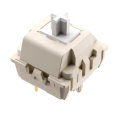


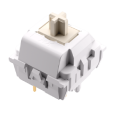
Hear them in action: Check out our RK L75 Sound Test to compare the Silent, Cream, and Beige switches side by side
Listen to the RK920 Typing Sound Test to compare Creamy, Silent, and Snowfall switches.
Want the numbers? Here are the key specs for a closer comparison:
| Technical Spec | Linear Cream | Linear Creamy | Linear Silent | Snowfall | Beige |
|---|---|---|---|---|---|
| Switch Type | Linear | Linear | Linear | Tactile | Tactile |
| Operating Force | 45 ± 10 gf | 45 ± 10 gf | 37 ± 10 gf | 45 ± 10 gf | 40 ± 10 gf |
| Actuation Point | 2.0 ± 0.4 mm | 2.0 ± 0.4 mm | 2.0 ± 0.4 mm | 2.5 ± 0.4 mm | 2.5 ± 0.4 mm |
| Total Travel | 3.4 ± 0.4 mm | 3.4 ± 0.4 mm | 3.5 ± 0.4 mm | 3.4 ± 0.4 mm | 3.4 ± 0.4 mm |
Once you know your preferred feel and sound, pair your chosen switch with a chassis engineered to bring out those acoustic qualities.
If you want an out-of-the-box creamy keyboard experience without manual modding, the RK R75 is the ideal choice. Built in a classic, space-saving 75% layout, it pairs durable Cherry Profile PBT keycaps with a gasket-mount structure and 5 full layers of sound-dampening foam to deliver a smooth, cushioned tone right out of the box.
The RK L75 offers ultimate flexibility with 3 distinct colorways and 3 switch options (Linear Cream, Beige Tactile, or Linear Silent). As a fully hot-swappable mechanical keyboard, it allows you to swap switches anytime without soldering.
For users who prioritize deep acoustics and typing feel, the RK R99 takes build quality further. Featuring a gasket-mounted design paired with 7 full layers of sound-absorbing foam, it removes hollow echo to deliver a controlled, deep thocky sound profile across the board—complemented by a stunning curved RGB light strip that illuminates your desk setup.
Still unsure? Start with your preferred feel, then narrow it down by sound:
| What You Want | Start Here |
|---|---|
| Smooth feel + Creamy sound out-of-the-box | RK R75 |
| Flexibility to try Linear, Tactile, or Silent | RK L75 |
| Full-size productivity + Deep acoustic thock | RK R99 |
Q1: What actually makes a mechanical keyboard sound "creamy"?
A creamy keyboard sound is produced by combining smooth linear switches (often factory pre-lubed) with thick PBT keycaps, a flexible gasket-mount plate, and sound-dampening foam. This absorbs high-frequency vibrations, leaving a soft, cushioned, and polished sound.
Q2: What is the main difference between "Creamy" and "Thocky" keyboard sounds?
"Creamy" describes a typing tone that is soft, smooth, dense, and polished—like marbles tapping softly together on a cushioned pad. "Thocky" refers to a lower-frequency, deep, bass-heavy sound that feels substantial and grounded when keys bottom out.
Q3: Are Linear switches good for office work?
Yes. While many office typists prefer Tactile switches for physical confirmation, modern Linear switches—especially pre-lubed or silent options—provide a smooth, effortless, and quiet typing experience that works great for daily office use.
Q4: What are pre-lubed switches, and why do they matter?
Pre-lubed switches have factory-applied lubricant on internal stems, springs, and friction rails. This eliminates stem scratchiness, prevents annoying spring ping, and creates a smoother typing experience straight out of the box without requiring manual lubrication.
Q5: Are RK mechanical keyboards hot-swappable?
Yes! Many modern RK keyboards feature a hot-swappable mechanical keyboard PCB. This means you can pull out the stock switches and press in any compatible 3-pin or 5-pin mechanical switches in seconds—no soldering iron required.
Q6: Which switch is best for a quiet office or shared workspace?
A silent mechanical keyboard equipped with RK Linear Silent switches is best for noise-sensitive environments. These switches feature internal dampeners that absorb impact sounds on both the downstroke and upstroke, providing a whisper-quiet typing feel.
Know the sound and feel you want, but still choosing the right keyboard chassis? Take the next step: