RK C96 HE Keyboard Reviews: Real Typing Tests & Creator Feedback

by RK Gaming

Introduction

If you are considering the RK C96 HE, you probably have one main question: how does it actually perform beyond the specs?

On paper, features like an 8000Hz polling rate, 0.01mm Rapid Trigger, and adjustable actuation sound impressive. But technical specifications don't tell you how responsive the keyboard feels in real gameplay, how clean the switches sound, or how practical it is for daily use.

To save you hours of research, we gathered hands-on creator reviews, acoustic tests, and real-world feedback on the RK C96 HE. Here is what you need to know before making a decision.

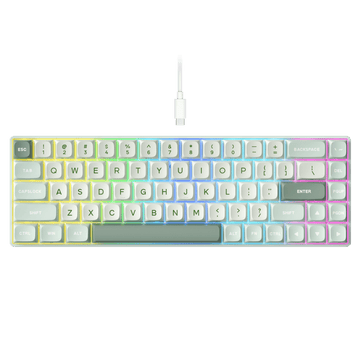
RK C96 HE Hall Effect Magnetic Keyboard 96% Layout


Table of Contents


RK Magnetic Switch Performance: Speed & Customization

Comparison of regular switch and magnetic switch with visual and text differences.


Before exploring creator feedback, let’s look at the key magnetic features that shape the RK C96 HE experience.

The RK C96 HE relies on Hall Effect magnetic switches, replacing traditional physical contacts with magnetic sensors to offer fast input registration and per-key customization.

Feature Capability Real-World Benefit
Rapid Trigger (RT) 0.01mm step distance Keys deactivate instantly as you lift your finger for quick and precise inputs.
Adjustable Actuation 0.01mm – 3.5mm Customize trigger depth per key—shallow for gaming, deeper for typing.
8000Hz Polling Rate High-speed data transmission Delivers ultra-low latency inputs during fast-paced use.
Advanced Controls SOCD, DKS, Dead Zone Customize input behavior for advanced gaming and personal preferences.


Key Takeaway: RK's Hall Effect switches provide precise input control and responsive performance, allowing you to tailor key behavior specifically to your playstyle or workflow.


Why Choose a 96% Magnetic Keyboard?

Most magnetic keyboards on the market come in compact 60% or TKL form factors. These layouts are popular among players who prioritize maximum mouse space for wide arm movements.

However, compact keyboards often introduce friction when you transition to daily tasks. If you use your setup for work, browsing, or creative projects, losing dedicated arrow keys and a numeric keypad can slow down your workflow.

The RK C96 HE offers a versatile alternative. By bringing Hall Effect magnetic performance into a 96% layout (98 keys), it delivers rapid performance without removing essential controls—making it a versatile keyboard for both gaming and everyday use.


Listen to the RK C96 HE Typing Sound

While speed and customization drive performance, the final typing experience depends heavily on switch tuning, internal structure, and acoustic design.

The RK C96 HE features internal sound-dampening layers alongside durable Cherry profile PBT keycaps to produce a muted, solid keystroke profile without unwanted hollow or metallic resonance.

Listen to the RK C96 HE typing test below to hear its acoustic signature in action:


What Creators Say About the RK C96 HE

Here is a breakdown of real-world feedback and video reviews from creators and reviewers who tested the RK C96 HE across gaming, typing, and daily productivity scenarios.


BiboyHaranero REVIEW:Evolution from a Classic & Custom Magnetic Control

Key Takeaways:

  • Upgraded Classic Design: The C96 HE builds directly on the classic RK96/R96 96% layout—keeping the familiar footprint, scroll wheel, mute button, and custom-shaped magnetic wrist rest, while upgrading the internals to high-performance magnetic switches.
  • Wired Low-Latency Speed: Features an ultra-fast 8000Hz polling rate in dedicated wired mode for near-instantaneous hardware-level response during fast-paced gameplay.
  • Deep In-App Customization: Supports full per-key actuation tuning (down to light 0.8mm presses), Rapid Trigger, and advanced layout controls like SOCD (Snap Tap), DKS (multi-stage key presses), and Toggle Key functionality.


2. SHELTECH REVIEW: Real-World Tracking & Ergonomic Build Quality

Key Takeaways:

  • Precision Finger Tracking: Hall Effect switches continuously measure key travel for real-time position tracking—giving gamers precise control over stops, strafes, and instant movement resets in fast-paced shooters like Arc Raiders.
  • Fatigue-Free Cherry Profile PBT: Features durable, oil-resistant PBT keycaps in a sculpted Cherry profile that keeps hands in a relaxed, neutral position, reducing wrist strain during extended study, work, or gaming sessions.
  • Ultra-Low Latency & Muted Acoustics: Delivers a rock-solid 8000Hz polling rate and 64kHz key scan rate via wired connection (0.125ms response time), paired with a triple-layer dampening design (EVA foam & silicone) for a solid, quiet typing acoustic.


3. pyurologie REVIEW: The 96% Hybrid Advantage

Key Takeaways:

  • No Performance vs. Practicality Compromise: Delivers all high-end Hall Effect gaming features (0.01mm Rapid Trigger, 8000Hz polling rate, SOCD) in a space-saving 96% footprint that retains essential F-keys and a dedicated Numpad.
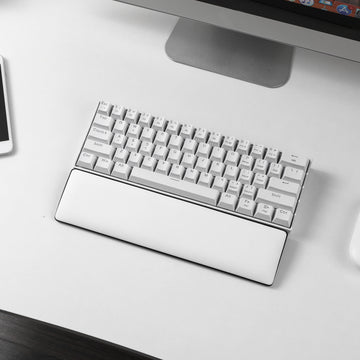
  • Surprising Shell Rigidity & Ergonomics: Features an remarkably rigid, flex-free casing with triple-layer acoustic dampening, paired with an included magnetic wrist rest that provides superior ergonomic comfort during long gaming or editing sessions.
  • Smarter Scroll Wheel Design: Replaces bulky traditional rotary knobs with a sleek, mouse-style volume scroll wheel and dedicated mute button—saving vertical desk space while offering easier day-to-day audio control.


Is the RK C96 HE Right for You?

Instead of looking at raw technical specs, the easiest way to decide is to look at your everyday setup and routine:

  • You play tactical FPS titles (Valorant, CS2) but work from home during the day: You get sub-millisecond Rapid Trigger performance for movement, without losing the Numpad for spreadsheets or data entry.
  • You are a student balancing coursework and gaming: You need a single, versatile desk setup for taking notes, writing papers, and analyzing lab data with dedicated arrow keys and a number pad, followed by smooth gaming sessions in the evening.
  • You spend long hours typing or gaming and value ergonomic comfort: Unlike many competitors in this price range that sell wrist rests separately, the RK C96 HE includes a quick-attach magnetic wrist rest out of the box—delivering superior ergonomic support for long sessions at an accessible price.
  • You share a desk or dorm room: You want a clean, all-in-one keyboard with built-in acoustic dampening that provides a quiet typing feel so you won't disturb roommates during late-night study or gaming sessions.
  • You want hassle-free customization across devices: You switch between macOS for work/school and Windows for gaming, and prefer configuring your actuation points via a browser rather than installing software.
  • You prefer a quiet, solid typing acoustic out of the box: You want smooth magnetic switches with built-in dampening layers that sound deep and muted right out of the box.


Frequently Asked Questions

Is the RK C96 HE a good magnetic keyboard for both gaming and work?

Yes. The RK C96 HE combines high-speed Hall Effect magnetic switches with a versatile 96% layout featuring dedicated arrow keys and a number pad, making it ideal for both gaming and daily productivity tasks.

What makes the RK C96 HE different from other Hall Effect keyboards?

Unlike most Hall Effect keyboards that use compact 60% or TKL layouts, the RK C96 HE offers a practical 96% form factor with 98 keys. It combines 0.01mm Rapid Trigger sensitivity and an 8000Hz polling rate with full-size everyday functionality and a web-based driver.

Does the RK C96 HE feel different from a traditional mechanical keyboard?

Yes. Hall Effect switches provide a smoother, more consistent keystroke experience with adjustable actuation, allowing users to customize how each key responds compared with traditional fixed-actuation mechanical switches.

Does the RK C96 HE support Rapid Trigger?

Yes. The RK C96 HE supports Rapid Trigger with precision down to 0.01mm, allowing keys to activate and reset instantly based on physical key travel rather than fixed actuation points.

How do you customize settings on the RK C96 HE?

Settings on the RK C96 HE are managed through a web-based driver that works inside standard web browsers on both Windows and macOS. You can adjust per-key actuation depths, set Rapid Trigger thresholds, remap keys, and modify RGB lighting without installing software on your computer.

Who is the RK C96 HE designed for?

The RK C96 HE is designed for gamers, creators, and professionals who want the low latency and customizability of Hall Effect magnetic switches while retaining the daily convenience of a Numpad and dedicated arrow keys.
Read More Blogs

View More
How To CHANGE GIF In Royal Kludge S98 2026
Ditch the Default: How to Upload Custom GIFs to Your RK Keyboard (2026)

Learn how to upload and customize GIF animations on your Royal Kludge keyboard using the RK Web Driver. This step-by-step guide covers file requirements, troubleshooting tips, and the best GIF settings for smooth TFT screen display.

Mechanical Keyboard Sizes & Layouts Simplified – A Buyer's Guide

The size of the keyboard can be determined by many factors.  I will try to highlight some of the major ones you might encounter, but this is by far not a complete list of reasons. Simply put, the size of the keyboard will be determined by your needs and desires. 

Do you need space on your desktop?  Real estate can be a hot commodity on gaming desktops.  Do you have enough room for your mouse to sit comfortably next to a large slab of keys?  

Customize RGB Lighting via RK Launcher
How to Customize RGB Lighting on RK Keyboards Using RK Launcher

Learn how to customize your RGB keyboard lighting with RK Launcher, including preset backlight modes and per-key RGB settings, to fully personalize your setup in just a few steps.

Is the RK C87 Keyboard Worth It? YouTuber Reviews & Real-World Use

Curious if the C87 keyboard is worth it? Check out multiple YouTuber reviews to see how it performs in gaming, typing, and everyday use.

Magnetic vs Mechanical Keyboards: How to Choose the Right One for Gaming & Work?

Explore the key differences between magnetic (Hall-effect) keyboards and mechanical keyboards in this beginner-friendly guide. Learn how magnetic switches provide ultra-smooth, fast, and durable typing, while mechanical keyboards offer tactile feedback, customizable switches, and a wide range of options. Discover the best RK keyboard models, their features, and which keyboard is ideal for gaming, productivity, or office work. Make an informed choice for your next keyboard upgrade.

Back to blog