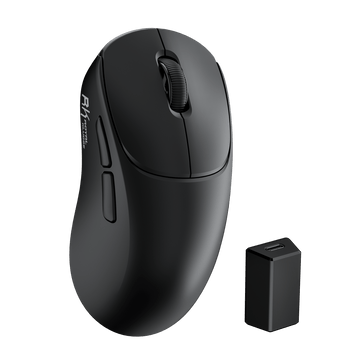
MG5 Wireless Gaming Mouse
$59.99



For RK Blog Readers Only
Looking for a compact keyboard but stuck between 60%, 65%, and 75%? The smaller the keyboard gets, the more desk space you gain—but the more keys move behind an Fn layer. The question is: which keys are you actually willing to give up?
60%, 65%, and 75% are three of the most popular compact keyboard layouts, each built around a different balance of size and accessibility. This guide breaks down what each layout keeps, what it removes, and how those trade-offs affect gaming, work, and everyday use.
Table of Contents

60% — Maximum space. The smallest footprint, with secondary functions accessed through an Fn layer. Ideal if maximizing mouse space is your top priority.
65% — Keep the arrows. Adds dedicated arrow keys while keeping the overall footprint compact. A strong middle ground for gaming and everyday use.
75% — Keep the function row. Adds a dedicated F1–F12 row and more navigation keys while remaining significantly more compact than a TKL.
| Feature | 60% Keyboard | 65% Keyboard | 75% Keyboard |
|---|---|---|---|
| Dedicated Arrow Keys | No | Yes | Yes |
| Dedicated F1–F12 Row | No | No | Yes |
| Navigation Keys | Accessed via Fn layer |
Partial | Expanded |
| Primary Advantage | Maximum desk space | Direct directional input | More dedicated keys |
| Ideal For | Minimalist setups & wide mouse movement | Daily typing & gaming | Coding, productivity & shortcut-heavy workflows |
These terms describe different keyboard form factors based on which key clusters are retained from a traditional full-size layout. They are not exact measurements of physical size or key count.
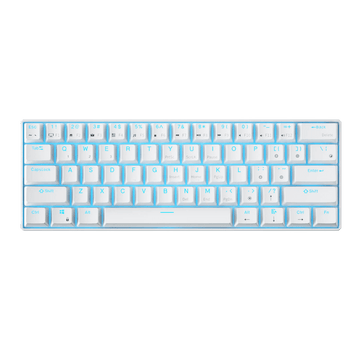
A 60% keyboard keeps the core alphanumeric and modifier keys while removing dedicated arrow keys, navigation keys, the numpad, and the physical function row.
Most secondary functions are still available through an Fn layer. The exact key combinations depend on the keyboard's layout and firmware.
The result is a compact board that leaves more room for your mouse and takes up less space on your desk.

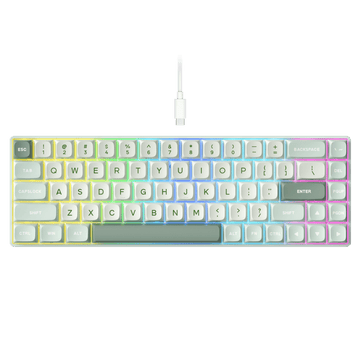
A 65% keyboard keeps the compact footprint of a 60% board while adding dedicated arrow keys and a small navigation cluster, typically including keys such as Delete, Page Up, and Page Down.
You get direct access to directional controls without giving up much of the desk space that makes compact keyboards appealing.

A 75% keyboard provides a more complete compact layout. It retains many of the everyday keys found on a Tenkeyless (TKL) board—including a physical F1–F12 row—while grouping them into a tighter footprint.
For users who regularly rely on function keys or navigation controls, a 75% layout provides more direct access without moving all the way up to a TKL.
Want to explore more keyboard sizes and layouts? See our Mechanical Keyboard Sizes & Layouts guide for a broader overview of common keyboard form factors.

The smaller the layout, the fewer dedicated physical keys you have. The functions themselves aren't necessarily gone—they're usually accessed through an Fn layer or custom key mappings.
| Layout | What You Give Up | What You Keep |
|---|---|---|
| 60% | Arrow keys, navigation keys, F1–F12 | Core typing keys + maximum desk space |
| 65% | F1–F12 + some navigation keys | Dedicated arrow keys |
| 75% | Numpad + extra spacing | Arrow keys, navigation keys, F1–F12 |
60%: Smallest footprint, but you'll rely most on Fn shortcuts.
65%: The middle ground—dedicated arrow keys without adding much bulk.
75%: More dedicated keys for everyday use, while staying significantly more compact than a TKL.
The smaller the layout, the more you'll rely on layers. The bigger the layout, the more keys you can access directly. RK keyboards support custom key mappings and macros, giving you more flexibility when using a compact layout. If you're new to keyboard macros, our RK Launcher Macro Guide walks you through the setup step by step.
The easiest way to choose a compact keyboard is to think about the keys you reach for every day.
For gaming, the choice between 60%, 65%, and 75% comes down to mouse space, movement keys, and how many commands you want within easy reach.
For competitive FPS games like Counter-Strike 2, Valorant, Fortnite, and Apex Legends, a 60% or 65% keyboard can be a natural fit. These games rely heavily on WASD, Shift, Ctrl, Space, number keys, and mouse input, so a smaller board can leave more room for wide mouse movements—especially for low-sensitivity players. See the RK61 in action in the Fortnite Reload handcam below from YouTuber @creekify.
Minecraft is another good example, especially BedWars-style gameplay. Movement centers around WASD, while sprinting, jumping, sneaking, inventory, and hotbar selection add more inputs around the same area. In fast-paced BedWars matches, players may also customize keybinds for sprint, item slots, perspective changes, and other actions. A 60% layout can work well when you prioritize mouse space and are comfortable with compact key mappings.
However, Minecraft Java Edition also makes use of function keys such as F1, F2, F3, F5, and F11 for HUD, screenshots, debugging, perspective, and fullscreen controls. Players who regularly use these shortcuts may prefer a 75% keyboard for direct access, while players who rarely use them can stay perfectly comfortable on a 60% or 65%.
For MMOs, strategy games, and other shortcut-heavy games, a 75% layout can be more convenient when you regularly assign commands to F1–F12 or rely on additional dedicated keys.
The key takeaway: choose your layout based on how you play, not just what you play. If your setup revolves around WASD and mouse movement, 60% or 65% may be all you need. If you rely heavily on function keys and additional shortcuts, 75% gives you more dedicated keys within reach.
Your workflow should guide your choice for work and programming.
If your IDE, software, or daily tasks rely heavily on F1–F12, navigation keys such as Home, End, and Delete, or frequent keyboard shortcuts, a 75% layout can provide more direct access.
If your work consists primarily of writing, browsing, and standard navigation, a 60% or 65% keyboard can provide a clean, compact setup without sacrificing the keys you use most.

The best layout depends on the keys you use most—not simply how much space you have on your desk.
Not necessarily. A 60% keyboard can handle everyday typing, browsing, and gaming just fine. The main adjustment is accessing arrow keys, navigation keys, and F1–F12 through an Fn layer or custom mappings.
A 60% layout is a good fit if you:
WASD and rarely need dedicated arrow or function keys.Fn shortcuts or custom key mappings.F1–F12 keys.F1–F12 shortcuts for work, coding, or gaming.Delete, Home, End, or Page Up.Fn combinations.Still unsure? Think about the keys you reach for most. If you can live without dedicated arrows and F-keys, go 60%. If arrows are essential but F-keys aren't, 65% is the sweet spot. If you want both, 75% is the safer choice.
Found your ideal layout? Here are three RK keyboards that bring each compact form factor to life.
RK61 60% Wireless Mechanical Keyboard (New Color-Block Edition)
A classic 60% layout with a new-generation upgrade. The latest RK61 features tri-mode connectivity, PBT keycap options, and RK custom switches, including creamy-sounding options. It also adds an online driver, letting you customize key mappings and macros directly from your browser—no software download required.
Best for: Maximum desk space, portability, and minimalist setups.
Hear the difference: RK61 typing test with Creamy Switch, Silent Switch, and Snowfall Switch
R65 65% Wired Gaming Keyboard (QMK/VIA)
RK's popular 65% layout, built for users who want dedicated arrow keys without moving up to a larger board. QMK/VIA support lets you remap keys, create layers, and configure macros, while MDA-profile keycaps and Linear Cream switches deliver a smooth feel with a deeper, creamy sound.
Best for: Gaming, everyday use, and budget-friendly creamy keyboards.
Hear it in action: R65 Typing Test
R75 75% Wireless Gaming Keyboard (QMK/VIA)
RK's flagship 75% layout combines tri-mode connectivity, QMK/VIA support, Windows/macOS/Linux compatibility, gasket mount, and five layers of sound-dampening material for a refined typing experience. Linear Cream switches add a smooth, deeper sound, while the removable rotary knob can be swapped for a regular key when you want a different setup.

Best for: Work, gaming, and users who want more keys and deeper customization.
Explore RK Compact Keyboards →
Not directly. Keyboard size mainly changes the layout and footprint. The sound and feel are influenced more by the switches, keycaps, mounting system, and internal sound-dampening materials.
That means a 60%, 65%, or 75% keyboard can all sound deep, creamy, clacky, or thocky. If keyboard sound is part of your buying decision, don't choose a layout based on size alone.
Instead, look at the components that shape the typing experience:
So if you love the sound of a creamy keyboard, don't let the layout limit your choice. Explore our Creamy Keyboard Collection to find a board that fits your layout and sound preferences.
What is the main difference between a 60%, 65%, and 75% keyboard?
A 60% keyboard keeps the core typing keys and relies on an Fn layer for many secondary functions. A 65% layout adds dedicated arrow keys and a small navigation cluster. A 75% layout adds a physical F1–F12 row and more dedicated navigation keys while keeping a compact footprint.
Can I access F1–F12 keys on a 60% keyboard?
Yes. F1–F12 functions are typically mapped to a secondary layer and accessed by holding the Fn key with another key. The exact key bindings depend on the keyboard's layout and firmware.
Can I use a 60% keyboard for programming?
Yes. Many developers use 60% keyboards comfortably. However, if your IDE or debugging workflow relies heavily on dedicated function keys or navigation controls, a 75% layout can provide more convenient direct access.
Does a 65% keyboard have arrow keys?
Yes. Dedicated arrow keys are one of the defining features of a typical 65% layout. They provide direct directional input while keeping the overall keyboard footprint compact.
Is a 65% keyboard better than a 60% keyboard for everyday use?
A 65% keyboard can be more convenient for everyday use if you frequently rely on dedicated arrow keys for text editing, browsing, or document navigation. A 60% layout is a better fit if minimizing desk space is your top priority.
How much desk space does a 75% keyboard save compared with TKL?
A 75% keyboard is typically narrower than a TKL because its key clusters are grouped more tightly together. The exact difference varies by keyboard design, but the smaller footprint can leave more room for your mouse and other desk accessories.
The right compact layout is the one that keeps the keys you use most and removes the ones you don't.
There’s no universally better layout—only the layout that fits your workflow.