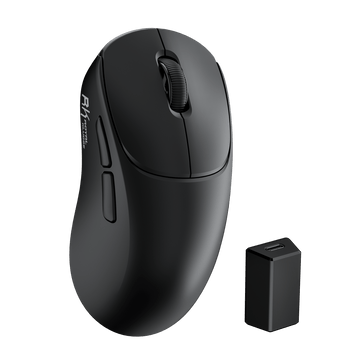
MG5 Wireless Gaming Mouse
$59.99
Hast du ein Konto?
Logge dich ein, damit es beim Checkout schneller geht.


For RK Blog Readers Only
On a limited budget? You can still get a great mechanical keyboard for under $100. At this price, you’ll find everything from simple wired boards to wireless keyboards with hot-swappable switches, PBT keycaps, and software customization.
The harder part is figuring out which features are actually worth paying for.
To make that easier, we’ve picked out some of the best options from the RK Royal Kludge keyboard lineup, with each one suited to a different setup, layout, or budget. Whether you need more desk space, a numpad for work, or faster inputs for FPS gaming, this guide will help you narrow it down quickly.

Not sure where to start? Here are our top RK picks at a glance.
| Pick | Best For | Layout | Why It Stands Out |
|---|---|---|---|
| RK R75 | Best Overall | 75% | A well-balanced choice for gaming, work, and everyday typing |
| RK R65 | Best for Small Desks & On-the-Go | 65% | Compact enough to carry while keeping dedicated arrow keys |
| RK M87 | Best TKL | TKL | Familiar layout with a display, dual knobs, and media controls |
| RK S98 | Best for Productivity | 96% | Keeps the numpad without the footprint of a traditional full-size board |
| RK C87 | Best for FPS Gaming | TKL | Hall Effect switches with adjustable actuation and Rapid Trigger |
| RK68 | Best Value | 65% | A straightforward, affordable way to get into mechanical keyboards |
A $100 budget can now cover a surprisingly wide range of mechanical keyboard features.
Here's what you can reasonably look for:
| Feature | What It Means | Best For |
|---|---|---|
| Hot-Swap | Change switches without soldering | Beginners & enthusiasts |
| 2.4GHz Wireless | Low-latency wireless connection | Gamers |
| Bluetooth | Easy multi-device connectivity | Laptop & tablet users |
| PBT Keycaps | Durable keycaps with a textured feel | Heavy daily use |
| Gasket Mount | Softer, more cushioned typing feel | Typists |
| QMK/VIA | Advanced key remapping and customization | Enthusiasts |
| Hall Effect | Magnetic switch sensing with adjustable actuation | Competitive gamers |
| Rapid Trigger | Faster key reset for repeated inputs | FPS players |
You won't find all of these features on every keyboard, and you don't need all of them.
The better question is: which features will actually make a difference to the way you use your keyboard?
Choose this if: You want one keyboard that works well for gaming, work, and everyday typing.
The RK R75 uses a 75% layout, keeping the function row and dedicated arrow keys while taking up less space than a full-size keyboard. It’s a good middle ground if you want a compact setup without moving to a more minimal layout.
The R75 also leaves plenty of room for customization, with a gasket-mounted design, hot-swappable PCB, and QMK/VIA support.
The R75 works with Windows and macOS, with RK's web-based driver supporting Mac on compatible features.
The R75 comes with RK Linear Creamy Switches, tuned for a smooth feel and a soft, creamy sound.
Not sure if they’re your kind of switch? Listen to the typing test below and hear the R75 for yourself.
Choose this if: You move between home and office, travel with your setup, or simply want more room on your desk.
The RK R65 uses a compact 65% layout while keeping dedicated arrow keys. That makes it noticeably smaller than a TKL or full-size keyboard without removing one of the key clusters you’re likely to use regularly.
Its size also makes it easier to move between setups. If you prefer using your own keyboard at home and at the office, the R65 is small enough to make that practical. The R65 was also named one of Tom’s Hardware’s best budget mechanical keyboards for 2026 here, making it a noteworthy option if you’re shopping in this price range.
Compatible with Windows and macOS. RK's web driver supports Mac for compatible customization and remapping functions.
The R65 comes with RK Linear Creamy Switches, offering a smooth keystroke with a soft, creamy sound.
Listen to the typing test below to hear the R65 in action.
Choose this if: You like the traditional keyboard layout but rarely use a numpad.
The RK M87 uses a TKL layout, keeping the function row and navigation keys while removing the numpad. It gives you a familiar layout with a smaller footprint than a full-size keyboard.
Where the M87 gets more interesting is in the details. It combines a built-in display, dual knobs, and dedicated media controls in the top-left corner, giving you more physical controls to work with without relying entirely on software.
Compatible with Windows and macOS. RK's web-based software supports Mac for compatible customization functions.
The M87 comes with RK Linear Cream Switches, offering a smooth keystroke with a soft, creamy sound.
Choose this if: You use a numpad regularly but don't want the full width of a traditional full-size keyboard.
The RK S98 uses a 96% layout that keeps a dedicated numpad while compressing the overall keyboard footprint. That makes it especially useful for spreadsheets, data entry, accounting, and other number-heavy work.
You still get the features you'd expect from a modern mechanical keyboard, but the main reason to choose the S98 is simple: you get to keep your numpad.
Compatible with Windows and macOS, with RK's web driver available for compatible Mac customization.
Linear Cream, Linear Silent, and Tactile Beige Switches. Each offers a different feel and sound, so you can choose what works best for your typing style.
Choose this if: You play competitive FPS games and want more control over key actuation and reset.
The RK C87 uses Hall Effect magnetic switches with adjustable actuation and Rapid Trigger. Unlike a traditional mechanical switch, Hall Effect technology detects key movement electronically, allowing more control over when a key registers.
For games such as Valorant and Counter-Strike 2, Rapid Trigger can be particularly useful for repeated movement inputs because the key can reset as soon as it begins moving back up.
Compatible with Windows, with RK's web-based driver providing access to compatible customization features. Mac compatibility may vary depending on the specific gaming feature or software function.
The C87 uses Hall Effect magnetic switches rather than conventional mechanical switches.
Because the sensing technology is different, Hall Effect switches are not interchangeable with standard mechanical switches.
Choose this if: You want to try a mechanical keyboard without spending most of your $100 budget.
The RK68 keeps things straightforward with a compact 65% layout and the core features you'd expect from a mechanical keyboard. It's a sensible starting point if you're new to mechanical keyboards or would rather leave some of your budget for the rest of your setup.
Compatible with Windows and macOS. Available customization features depend on the specific keyboard version and software support.
Linear Creamy, Tactile Snowfall, and Silent Violet Switches. Depending on the switch you choose, the RK68 can deliver that familiar thocky sound many mechanical keyboard fans look for.
Listen to the typing test below to hear it for yourself.
Once you've narrowed down your budget, the next step is deciding what actually matters to you.
Keyboard size affects your daily workflow more than most specifications.
| Layout | Best For | What You Give Up |
|---|---|---|
| 60% | Minimalist setups, competitive gaming | Arrow keys + function row |
| 65% | Gaming, compact desks | Function row |
| 75% | Gaming + work | Numpad |
| TKL / 80% | Gaming + productivity | Numpad |
| 96% | Productivity + gaming | Traditional full-size spacing |
| Full Size | Data entry, office work | More desk space |
If you're unsure, 75% is often the safest starting point.
It keeps the function row and arrow keys while taking up considerably less space than a full-size keyboard.
If you're comparing compact layouts, our guide to 60% vs. 65% vs. 75% keyboards breaks down what you gain and give up with each size.

Switches determine how a keyboard feels and sounds.
Linear switches have a smooth keystroke without a tactile bump. They're popular for both gaming and typing, especially if you prefer a smooth or creamy feel.
Tactile switches have a noticeable bump during the keystroke, giving you more physical feedback while typing.
Clicky switches combine tactile feedback with a distinct clicking sound. They're fun if you like a louder typing experience, but may not be ideal in shared spaces.
There isn't one universally best switch. Choose based on the feel and sound you actually enjoy.
For a deeper explanation of switch types, feel, and sound, see our comprehensive mechanical keyboard switch guide.
For most buyers, the decision comes down to how you use your keyboard.
| Using | Wired | 2.4GHz Wireless | Bluetooth |
|---|---|---|---|
| Gaming | Excellent | Excellent | Good |
| Latency | Very Low | Very Low | Higher |
| Battery | No charging | Requires charging | Requires charging |
| Portability | Good | Excellent | Excellent |
| Multi-device use | Limited | Good | Excellent |
For desktop gaming, wired or 2.4GHz wireless are the simplest choices.
If you regularly move between a PC, laptop, tablet, or phone, Bluetooth is more useful.

For most first-time mechanical keyboard buyers, yes.
Hot-swap lets you change compatible switches without soldering, making it easier to experiment with different typing feels later.
Not necessarily.
Gasket mount can provide a softer typing feel, but the final sound and feel also depend on the switches, stabilizers, plate, case, keycaps, and overall tuning.

If you're mainly shopping for gaming, you may come across both traditional mechanical and Hall Effect keyboards.
The difference is straightforward:
Mechanical keyboards use physical switches to register a key press, while Hall Effect keyboards use magnetic sensing to detect key movement.
Hall Effect keyboards can offer features such as adjustable actuation and Rapid Trigger, which are particularly useful for competitive FPS gaming.
Still deciding? Read our Mechanical vs. Magnetic Keyboards guide for a closer comparison.

You don't need to spend the full $100 to get a capable keyboard. The difference between price ranges is usually more about how many features you get and how refined they are.
Expect a more straightforward mechanical keyboard with basic switches, simpler construction, and fewer customization options.
Looking for something under $50? Explore RK mechanical keyboards under $50.
This is often the sweet spot for features such as wireless connectivity, hot-swap switches, PBT keycaps, RGB lighting, and gasket-mounted designs.
You can start finding more specialized features, including displays, rotary knobs, QMK/VIA, larger batteries, Hall Effect switches, Rapid Trigger, and higher polling rates.
The important thing is to spend your budget on features you'll actually use.
Still deciding? Start with how you actually use your keyboard.
| If You... | Start With... |
|---|---|
| Want one keyboard for gaming, work, and everyday use | RK R75 |
| Move between home and office | RK R65 |
| Prefer a traditional TKL layout | RK M87 |
| Need a numpad for productivity | RK S98 |
| Play competitive FPS games | RK C87 |
| Want to spend less on your first mechanical keyboard | RK68 |
Are mechanical keyboards under $100 worth it?
Yes. You can find budget mechanical keyboards under $100 with features like hot-swap switches, wireless connectivity, PBT keycaps, and RGB lighting.
What is the best mechanical keyboard under $100?
The RK R75 is a strong all-around choice for gaming, work, and everyday typing, while the RK C87 is better suited to competitive FPS gaming.
What is the best budget mechanical keyboard for gaming?
For general gaming, a 65% or 75% mechanical keyboard offers a good balance of functionality and mouse space; for competitive FPS gaming, consider a Hall Effect keyboard with Rapid Trigger.
What is the best keyboard size for gaming?
65% and 75% keyboards are popular for gaming because they leave more room for mouse movement while keeping commonly used keys.
Is a 60% keyboard good for gaming?
Yes. A 60% keyboard saves desk space, but it removes dedicated arrow keys and the function row.
Are hot-swappable keyboards worth it?
Yes. Hot-swappable keyboards let you change compatible switches without soldering, making customization much easier.
Is wireless good enough for gaming?
Yes. A 2.4GHz wireless connection can provide a responsive gaming experience, while Bluetooth is better suited to general use and multi-device connectivity.
What is the difference between mechanical and Hall Effect keyboards?
Mechanical keyboards use physical switches, while Hall Effect keyboards use magnetic sensing and can offer features such as adjustable actuation and Rapid Trigger.
Do RK mechanical keyboards work with Mac?
Yes. RK keyboards support Windows and macOS, with compatible models offering Mac customization through RK's web-based driver.
What should I look for in a budget mechanical keyboard?
Focus on layout, switch type, connectivity, hot-swap support, keycaps, software, and the features that matter most to how you use your keyboard.