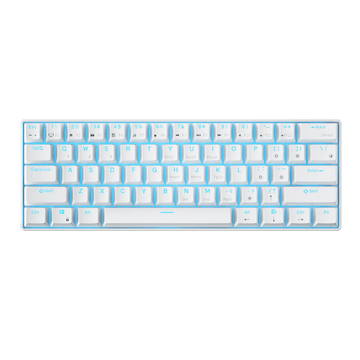
The RK Royal Kludge S104 is a full-size mechanical keyboard with tri-mode connectivity, a customizable TFT display, and a range of features for work and gaming. But how do those features translate into everyday use?
We've brought together four independent YouTube reviews covering everything from its distinctive keycap design and gaming performance to customization and everyday use. Here's what the reviewers found, what stood out to them, and a few things worth knowing before you buy.
The RK S104 combines a full-size layout with wireless convenience and customizable features.
Layout: Full-size 104-key mechanical keyboard
Connectivity: USB-C wired, 2.4GHz wireless, and Bluetooth
Battery: 8,000mAh capacity, rated for up to 200 hours with RGB off or 63 hours with RGB on
Display & Controls: Customizable TFT display and multifunctional control knob
Customization: Hot-swappable switches and browser-based software for key remapping, macros, RGB, and screen customization
Keycaps: Dual-layer ABS and polycarbonate construction on the Carbon Red version
Note: The reviewers tested different switch configurations, including Silent Violet and Cream linear switches. Their typing impressions may vary depending on the switches used.
What YouTubers Say About the RK S104
pyurologie: You Have to See These Keycaps Up Close
Key Takeaways
Carbon Red Keycaps: One detail that stood out to pyurologie was the layered keycap design. The ABS base sits beneath a transparent polycarbonate outer layer, creating a subtle depth effect. He felt the design looked even better in person than in product photos.
Smooth & Quiet Typing: His review unit came with pre-lubed Silent Violet linear switches. Combined with five layers of internal sound-dampening material, he found the typing experience smooth, cushioned, and remarkably quiet, with minimal key wobble.
Useful Everyday Features: He appreciated the display and control knob, along with the built-in 2.4GHz receiver storage. He also explored the browser-based driver for key remapping, macros, RGB, and screen customization. After a couple of weeks of use, he found the battery performance consistent with the advertised figures.
Things to Consider: The full-size layout takes up more desk space. For gaming, he preferred wired or 2.4GHz wireless over Bluetooth, which he found slightly less responsive.
Watch the Full Review
Haranero Studios: Putting the RK S104's Gaming & Customization to the Test
Key Takeaways
Responsive Gaming Performance: The reviewer tested the RK S104 while playing The Division 2 and reported no noticeable input issues. He also highlighted its N-key rollover and wired/2.4GHz connectivity for responsive gaming.
Extensive Software Customization: The browser-based driver offers key remapping, multiple key layers, macro recording (including mouse clicks), RGB adjustments, and custom GIF or image uploads to the TFT screen. He also appreciated the hot-swappable PCB, which supports both 3-pin and 5-pin mechanical switches.
Solid Build & Smooth Switches: His review unit came with pre-lubed Cream switches with 45g springs. He found them smooth and consistent, with a satisfying deeper sound. He also praised the sturdy housing, although he noticed some stabilizer rattle out of the box.
Things to Consider: The stabilizers may need some tuning to reduce rattling. He also raised concerns about the durability of the printed keycap legends over time.
Watch the Full Review
iReviewThis: How Does the RK S104 Hold Up Over Time?
Key Takeaways
Solid Build & Comfortable Typing: After several weeks of use, the reviewer found the S104 solid and pleasant to type on. Its weight and rubber feet keep it firmly in place, while the adjustable two-level feet make it easy to find a comfortable typing angle. He did notice slight flex when deliberately twisting the board, but it felt sturdy during normal use.
Long Battery Life & Onboard Controls: The 8,000mAh battery is rated for up to 200 hours with RGB off and around 63 hours with lighting on. He also liked being able to adjust lighting effects directly through the TFT screen and control knob without opening the software.
Good Value with a Few Trade-offs: He felt the S104 offered a strong feature set for its roughly $100 price point, especially when discounted. However, he questioned the long-term durability of the printed keycap legends and noted that the lack of shine-through keycaps could make them harder to see in low-light environments.
Things to Consider: Slight flex under deliberate pressure, plus limited key visibility in darker environments.
Watch the Full Review
Tech By Leon: Which S104 Colorway Fits Your Setup?
Key Takeaways
Two Distinct Looks: Reviewing both colorways side by side, Leon preferred the Carbon Red version for its semi-translucent keycaps, which let RGB lighting subtly shine through while keeping the legends visible. The lighter white and purple colorway has solid-colored keycaps, making it a better match for a clean, light-colored setup.
Convenient Onboard Controls: He particularly liked the tactile volume knob and LCD screen. Beyond volume adjustment, the screen menu lets users switch connection modes and adjust RGB effects, colors, and brightness directly from the keyboard without memorizing key combinations.
Solid Feel & Practical Details: He found the keyboard pleasantly weighty and solid. He also appreciated the built-in storage for the wireless receiver and the included spare switches.
Watch the Full Review
Quick Takeaways
Across these four reviews, the RK S104 stands out for its distinctive design, versatile connectivity, and range of customization options. Each reviewer focused on different aspects, but a few key strengths emerged:
For design lovers: The Carbon Red and white-and-purple colorways offer different looks, with the layered Carbon Red keycaps standing out in particular.
For everyday use: The full-size layout, wireless connectivity, large battery, and onboard controls make it a practical choice for work and daily use.
For customization enthusiasts: Hot-swappable switches, browser-based software, and a customizable TFT screen offer plenty of ways to personalize the keyboard.
There are also a few things to consider, including its larger desk footprint, potential stabilizer rattle, and keycap legend visibility in low-light conditions. Ultimately, the RK S104's suitability depends on your setup, preferences, and how you plan to use it.
FAQs
Can the RK S104 connect to multiple devices?
Yes. It can pair with up to three devices via Bluetooth, so you can switch between them when needed. It also supports 2.4GHz wireless and USB-C wired connections.
Does the RK S104 work with Mac and Windows?
Yes. Both operating systems are supported, with dedicated system modes for Windows and macOS. The browser-based driver is also compatible with both.
What layout does the RK S104 use?
It features a full-size, 104-key US QWERTY layout with a dedicated number pad, arrow keys, and function row. Layout options may vary by region, so check the selected layout on your local product page before ordering.
Explore the RK S104
Ready to see what the RK S104 can bring to your setup?
Get 10% OFF your RK S104 with code RKBLOG10 at checkout.
Learn how to upload and customize GIF animations on your Royal Kludge keyboard using the RK Web Driver. This step-by-step guide covers file requirements, troubleshooting tips, and the best GIF settings for smooth TFT screen display.
The size of the keyboard can be determined by many factors. I will try to highlight some of the major ones you might encounter, but this is by far not a complete list of reasons. Simply put, the size of the keyboard will be determined by your needs and desires.
Do you need space on your desktop? Real estate can be a hot commodity on gaming desktops. Do you have enough room for your mouse to sit comfortably next to a large slab of keys?
Learn how to customize your RGB keyboard lighting with RK Launcher, including preset backlight modes and per-key RGB settings, to fully personalize your setup in just a few steps.
Explore the key differences between magnetic (Hall-effect) keyboards and mechanical keyboards in this beginner-friendly guide. Learn how magnetic switches provide ultra-smooth, fast, and durable typing, while mechanical keyboards offer tactile feedback, customizable switches, and a wide range of options. Discover the best RK keyboard models, their features, and which keyboard is ideal for gaming, productivity, or office work. Make an informed choice for your next keyboard upgrade.