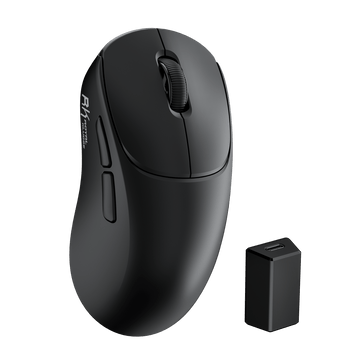
MG5 Wireless Gaming Mouse
$59.99
Hast du ein Konto?
Logge dich ein, damit es beim Checkout schneller geht.
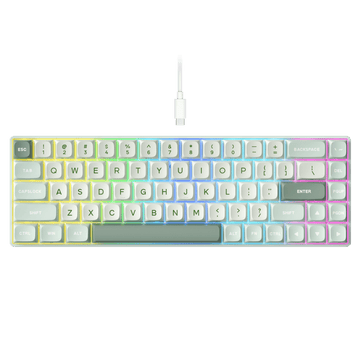



For RK Blog Readers Only
Most of the world types on two keyboard layouts: ANSI and ISO. At a glance, they look nearly identical, with a few minor adjustments to various keys, like the Enter and Left Shift. But even minor alterations change how a board feels, the keycaps you can install, and how comfortable the layout feels to type, work, or game on for hours on end.
But which is better: ANSI or ISO keyboards? The answer varies based on a few factors, along with location. If you’re in the United States, you’re likely using an ANSI layout. It’s the North American standard and a common default among gaming keyboards, thanks in no small part to its keycap support and layout familiarity. Across the UK and many parts of Europe, ISO layouts are common and are often better suited to regional language layouts.
All that said, neither is inherently “better.” The best keyboard layout is the one you know and use.
One important distinction before comparing them: ANSI and ISO describe the physical layout of a keyboard, while QWERTY, QWERTZ, and AZERTY describe how characters are arranged on the keys. That means ISO does not automatically mean QWERTZ or AZERTY — an ISO keyboard can use different regional character layouts.

The American National Standards Institute (ANSI) keyboard layout is the type you’ll find throughout most of the United States. Chances are high that if you learned to type on a computer in North America, you did so on an ANSI keyboard.

You can spot it by the following traits:
On a standard full-size mechanical keyboard, for example, you’ll typically have 104 keys under the ANSI layout. Drop down to a tenkeyless (TKL), and you’ll typically wind up with 87 keys. On more compact keyboards, however, the exact key count varies by design, so a 60%, 65%, or 75% keyboard should not be identified by key count alone. It’s a clean, familiar layout no matter the key grid, because it’s grown to become the North American standard.
The International Organization for Standardization (ISO) keyboard layout is common throughout the United Kingdom, continental Europe, and many regions outside of North America. If you learned how to type on a computer in London, Paris, or Berlin, chances are high it was on an ISO keyboard.

Here’s how to tell:
That additional key beside the Left Shift typically brings the total up to 105 keys on a standard full-size ISO board and 88 on a standard TKL. The legends and symbols printed on those keys then vary by regional character layout.

The difference between ANSI and ISO layouts comes down to a small cluster of keys sitting around the alphabet block.
| Feature | ANSI | ISO |
|---|---|---|
| Name | American National Standards Institute | International Organization for Standardization |
| Typical Full-Size Key Count | 104 | 105 |
| Enter Key | Wide, horizontal rectangle | Tall, upside-down L |
| Left Shift | Long | Short |
| Extra Key Beside Left Shift | No | Yes |
| Symbol Placement | Standard US ANSI positioning on US layouts | Varies by regional layout |
| AltGr Key | Not typically used on US ANSI | Common on many regional ISO layouts |
| Commonly found in | USA, North America | UK, Europe |
Remember that ANSI and ISO describe the physical keyboard layout. Character arrangements such as QWERTY, QWERTZ, and AZERTY are a separate consideration.
Finding out which keyboard type you have is as simple as looking down at the keys sitting before you. Start with the Enter key.
If you’re still unsure, look at the Left Shift. ANSI typically has a long Left Shift, while ISO uses a shorter Left Shift with an additional key between Left Shift and Z.
This is where people tend to trip up. For the most part, you can use some of the same keycaps. But you can’t fully swap full keycap sets between ANSI and ISO keyboards.
On both layouts, you’ll find that letters, numbers, and most of the modifiers are identical in size, so they’ll transfer without a hitch. But it’s the keys that don’t match up:
It’s easier and safer to simply buy keycaps designed for ANSI or ISO, respectively, and use those on your board. If you’re shopping for ISO keycaps, look for a set that specifically includes ISO support or the regional keys you need.
Neither layout is “superior” to the other. They both have a place in the world, depending on where you live, what and how you type, and how you play video games.
Pros
Cons
Pros
Cons
It’s not a question of which is the “best” for you but which one is better for the task at hand. There are two primary use cases — programming and gaming — where ANSI and ISO often come into comparison.
When it comes to programming, the world is split between ANSI and ISO. On a US ANSI layout, the backslash and pipe sit directly above the Enter key. That setup is handy as coders tend to lean on those symbols regularly. The wide Enter key is also easy to hit without hunting and pecking.
Conversely, many regional ISO layouts use the AltGr key, which can provide access to brackets, braces, and other symbol-heavy characters depending on the regional character layout. The tall Enter key also helps navigate by feel.
As to which is better for programming, it comes down to your language and coding habits. If you code in an English-based environment, you’re likely using an ANSI keyboard. If you write code and prose in a European language, the matching regional ISO layout may serve you better.
ANSI and ISO do not inherently change gaming latency or responsiveness, so neither layout provides an automatic performance advantage.
The larger Left Shift on ANSI does give your pinky a more forgiving target, which may feel useful when Shift is bound to crouch, walk, or sprint in first-person shooter games. ANSI also tends to offer a wider selection of gaming keyboards, keycaps, and replacement parts in the US market.
However, familiarity matters more than the shape of a single key. If you have spent years gaming on ISO, switching to ANSI solely for gaming is unlikely to provide a meaningful advantage and may initially disrupt your muscle memory.
So when it comes time to choose:
| If you... | Start with... |
|---|---|
| Live in the US and mostly type in English | ANSI |
| Already use ANSI comfortably | ANSI |
| Already use ISO comfortably | ISO |
| Need German, French, Spanish, or another regional layout | The matching regional ISO version |
| Want the widest choice of aftermarket keycaps | ANSI |
| Are buying primarily for gaming | Whichever layout feels most familiar |
Not inherently, no. There’s no built-in typing speed advantage to either layout. Your words-per-minute is driven by skill, familiarity, and muscle memory, not by the shape or layout of the keys on the board.
That said, some claim the ANSI Enter key sits closer to the pinky, allowing a fast typist to hit it more easily. On the flip side, ISO features a larger Enter key, which many claim is easier to locate by touch. These tend to come down to personal preference, though. If you switch layouts, you may notice your typing speed temporarily slow while you recalibrate.
For RK users, choosing between ANSI and ISO does not mean choosing between two different brands or product ecosystems. RK Royal Kludge offers both US ANSI keyboards and regional ISO options, so it makes more sense to choose the physical layout you need first and then compare keyboard size, connectivity, switches, and other features.
If you already know you want a compact board, the RK61 is the most straightforward place to start. It is available in US-ANSI as well as regional versions including DE-ISO and FR-ISO, so choosing a 60% keyboard does not automatically lock you into ANSI. A JP-JIS version is also available, although JIS is a separate physical layout rather than an ISO variant.
Want dedicated arrow keys and a function row instead? The RK84 moves up to a 75% layout while still offering US-ANSI, ES-ISO, DE-ISO, and FR-ISO options. That lets you keep the regional layout you already know without giving up the extra keys of a larger compact keyboard.
And if you need a number pad, the S98 family gives you a 96% alternative with US English and several regional versions, including German, French, and Spanish options.
Exact language and layout availability can vary by model and version, so check the product’s layout selector before ordering.
Once you know which physical layout you need, you can browse RK’s US ANSI Mechanical Keyboards or ISO Layout Keyboards collections. If you’re still deciding between 60%, 65%, 75%, 96%, and full-size keyboards, RK’s Mechanical Keyboard Sizes & Layouts guide can help narrow down the keyboard size before you choose a specific model.
If you spend any amount of time online, you’ll quickly learn that the keyboard community, like the gaming community, enjoys debate. The ANSI vs ISO question stirs up plenty of conversation as to which is the better layout. But it comes down to a few reshaped keys, your location, language, and typing habits more so than any tangible performance benefit. ANSI is common throughout North America with its wide Enter key, long Left Shift, and extensive keycap ecosystem. ISO is common throughout the UK and much of Europe, with its L-shaped Enter key, shorter Left Shift, and support for a wide range of regional layouts.
For most users, the better choice is the layout they already know. ANSI remains a natural pick for US users and anyone who values broad keycap compatibility, while ISO makes more sense if you already type on ISO or need a regional European layout. RK offers both ANSI and ISO keyboard options, so you can choose the layout that fits your typing habits instead of adapting your habits to the keyboard.
What is the main difference between ANSI and ISO keyboards?
ANSI uses a wide, horizontal Enter and a long Left Shift. ISO uses a tall, two-row Enter, a shorter Left Shift, and an additional key beside the Left Shift.
Is ANSI better for gaming?
Not necessarily. Some players prefer ANSI’s longer Left Shift, but familiarity matters much more. If you already game comfortably on ISO, there’s little reason to switch purely for performance.
Is QWERTY ANSI or ISO?
Technically, neither. QWERTY refers to the arrangement of letters on the keys, while ANSI and ISO refer to the physical shape and layout of the keyboard itself. QWERTY exists on both keyboard layouts.
Can ANSI keycaps fit an ISO keyboard?
Many individual keycaps can, but a standard ANSI-only set usually will not include the tall ISO Enter key, shorter Left Shift, and additional key required by ISO. Look for a keycap set with explicit ISO support.
Can I Change an ISO Keyboard to ANSI With Software?
No. Software can remap what a key does, but it cannot change the physical shape or position of the Enter key, Left Shift, switches, plate, or PCB. A physical conversion is only possible if the keyboard hardware itself supports both layouts.
What Keyboard Layout Should I Use in the USA?
ANSI is the standard choice for most US users and has widespread support for keyboards, keycaps, and accessories.
Does ISO Always Mean QWERTZ or AZERTY?
No. ISO describes the physical keyboard layout, while QWERTY, QWERTZ, and AZERTY describe character arrangements. For example, UK ISO commonly uses QWERTY, German ISO commonly uses QWERTZ, and French ISO commonly uses AZERTY.
Does ANSI or ISO Affect Typing Speed?
Not inherently. Typing speed depends much more on familiarity, skill, and muscle memory than whether the keyboard uses an ANSI or ISO physical layout.